
Launch day feels like the finish line. The site is live, the photos look great, and you've sent the link to everyone you know. Then the week goes quiet.
That quiet is normal, and it's fixable. What to do after launching a website comes down to four jobs in the first 90 days: make sure Google and customers can reach the site, track every enquiry, get it ready for AI search, and keep feeding it content.
Most new websites don't stall because of their design. They stall because nobody picks up those four jobs after launch.
Think of this guide as your post-launch checklist, in order: the first week, the first 30 days, and the 60 days after that. Each step is small. Together, they decide whether your new site brings in bookings or just sits there looking good.
What Should You Do in the First Week After Launching a Website?
In the first week, make sure two things work: Google can see your site, and customers can reach you through it. Neither one sends a warning when it breaks. You just get silence.
Check that Google is allowed in
A leftover "noindex" setting is one of the most common post-launch problems. It tells search engines to stay away, and it often survives from the build. On WordPress, open Settings → Reading and make sure "Discourage search engines from indexing this site" is unticked.
Then search Google for site:yourdomain.com. If nothing shows up after a few days, rule this setting out first.
Test every way a customer can contact you
Pick up your phone and act like a brand-new customer:
- Send a test through every form, and check it lands in your inbox, not spam.
- Click every booking link and make sure it opens the right calendar.
- Tap your phone number and check it actually dials.
- Reply to a test enquiry and make sure the reply goes to the customer, not a system address.
A broken form doesn't crash. It just quietly stops your enquiries.
Send people to a thank-you page
After someone submits a form, send them to a simple thank-you page. Tell them what happens next and when you'll reply. It reassures the customer, and it gives you something to count in the next step.
Rebuilt an old site? Redirect the old pages
If your new site replaced an old one, point every old URL to its new home with a 301 redirect. Skip this, and visitors hit dead ends while you lose the search value your old pages built up. Add a friendly 404 page too, with one clear button back to your homepage.
How Do You Know If Your New Website Is Working?
Your new website is working when it brings in enquiries and bookings, not when the visitor count goes up. So track the actions that mean money, and keep everything else simple.
You don't need dashboards and filters in month one. Three free Google tools cover it.
Google Analytics 4: count enquiries, not just visits
Set up Google Analytics 4 and check that it's receiving data. Then mark the actions that matter as key events: a visit to your thank-you page, a click on your booking link, and a tap on your phone number. Now you can see which pages and sources bring real enquiries.
Google Search Console: check that Google can find you
Add your site to Google Search Console, verify it, and submit your sitemap. It takes a few minutes. After a week or two, open the Pages report under Indexing to see which pages Google has indexed, which it skipped, and why. In new website SEO, getting indexed comes before ranking.
Google Business Profile: connect local searchers to your booking page
If you serve a local area, your Google Business Profile is often the quickest route to early visibility. Point its website and appointment links at the page where people actually book, not just your homepage.
Your 10-minute weekly check
Once a week, open Analytics and Search Console. Check that enquiries are coming through, that pages are getting indexed, and that nothing has suddenly dropped. Note anything odd.
Don't panic about rankings yet. Google says some changes take effect in a few hours and others take several months, so it suggests waiting a few weeks before judging what worked. Month one is about the basics, not position one.
How Do You Get a New Website Found in AI Search, Not Just Google?
AI tools like ChatGPT, Perplexity and Google's AI Overviews quote websites that answer questions clearly and give the same facts everywhere. A new site is the best moment to set that up, because there's nothing old muddying the picture yet.
You've already done the first step. Google says a page must be indexed before it can show up as a link in AI Overviews or AI Mode, so your Search Console work counts twice.
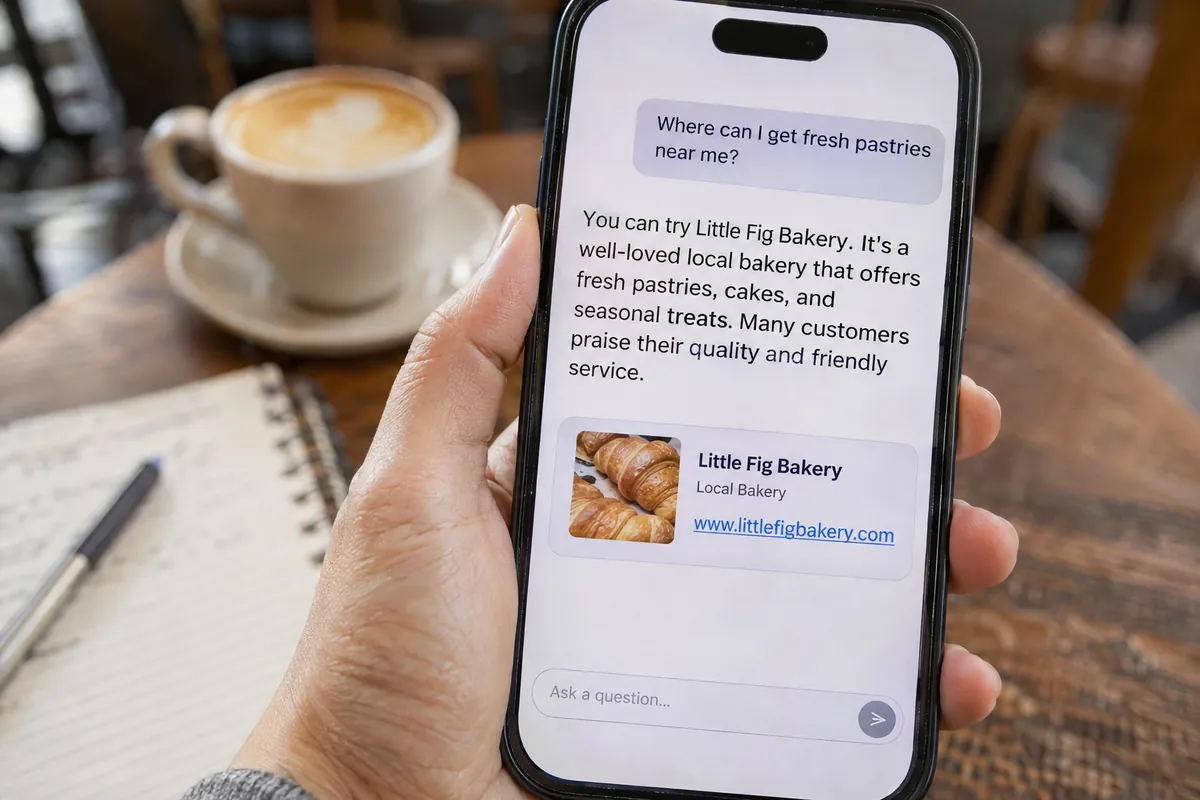
Then work through these:
- Open each service page with the answer. In the first two sentences, say what you do, who it's for, where you work, and roughly what it costs or how it works. That's the line an AI tool is most likely to repeat.
- Check that your schema shipped with the site. Structured data labels your business type, address and FAQs for machines. Test a few pages in Google's Rich Results Test, and make sure the markup matches what visitors can see. Google requires that match.
- Get into Bing, and let ChatGPT's crawler in. Microsoft Copilot runs on Bing, and ChatGPT search also draws on outside search providers, with Bing widely reported as the main one. Add your site to Bing Webmaster Tools (it can import your Search Console setup) and turn on IndexNow, which tells Bing about new or updated pages straight away. Rank Math, Yoast and AIOSEO can switch it on in WordPress. Then check that your robots.txt doesn't block OAI-SearchBot. OpenAI says sites that block it won't show up in ChatGPT search answers.
- Update your listings to match the new site. A launch can change a phone number, a page address or a service name. Update your Google Business Profile and directory listings so every source tells the same story. In Singapore, use the exact business name registered with ACRA, so Google, AI tools and directories all see the same business.
- Ask the AI tools about yourself. About a month after launch, ask ChatGPT and Perplexity to describe your business and what you offer. If they get something wrong, or know nothing, you've found the page to make clearer.
AI answers shift from day to day, so treat one check as a snapshot, not a verdict. Repeat it monthly and watch the trend.
What Comes After the First 30 Days?
After the first month, your job shifts from setup to rhythm: publish useful content, earn a few links, and review what brings in enquiries. This is where the site starts to grow.
Publish answers to the questions customers already ask
Every question you hear on the phone is a blog post waiting to be written. Even one strong post a month can help Google crawl your site more often, and it gives AI tools fresh answers to quote. Link each post to the service page it relates to.
Earn a handful of honest links
A link from another trusted website tells Google you're worth taking seriously. You don't need hundreds. Start with relevant Singapore directories, your trade association or the Singapore Business Federation, suppliers you work with, or a guest post for a business friend in a related field.
Review once a month, then do more of what works
Look past the visitor count. Which pages brought enquiries? Which search terms showed up in Search Console? Did AI tools mention you this month? Put your effort behind whatever is bringing in bookings.
You can run this routine yourself in a few hours a month. If you'd rather spend those hours on your business, hand it to someone who does it every day.
Here's your 90-day website post-launch checklist at a glance:
| Week 1 | Weeks 2–4 | Months 2–3 |
|---|---|---|
| Check Google isn't blocked (noindex) | Set up Google Analytics 4 key events | Publish one helpful post a month |
| Test every form, booking link and phone number | Verify Google Search Console and Bing Webmaster Tools, then submit your sitemap | Link each post to a service page |
| Add a thank-you page | Point your Google Business Profile at your booking page | Earn a few relevant local links |
| Redirect old URLs and add a 404 page | Check your schema and update directory listings | Ask AI tools about your business monthly |
Frequently Asked Questions
How long does it take for a new website to show up on Google?
Indexing usually takes a few days to a few weeks. Ranking well takes longer: for a brand-new site, think months, not weeks. Google itself says some changes take effect in hours and others take several months.
Why is my site in Search Console but not in search results?
Being indexed and ranking aren't the same thing. Indexed means Google knows your page exists. Ranking means Google chooses to show it, and a new site has to earn that trust over time.
Can a new website rank without backlinks?
Yes, for specific, low-competition searches. A clear, helpful page that's well linked from the rest of your site can rank on its own. Backlinks matter more once you go after competitive terms.
Should you worry about rankings in the first month?
No. In month one, check that your pages are getting indexed and your enquiries are arriving. If you've been live a month and Search Console shows no indexed pages and no impressions at all, investigate.
The Bottom Line: Launch Is the Start Line
A new website doesn't earn its keep on launch day. It earns it in the 90 days after, through small checks most owners skip. Week one makes sure Google and customers can actually get in.
The first month tells you whether enquiries are arriving and gets your facts straight for AI tools. After that, a steady rhythm of content, links and monthly reviews keeps the bookings growing.
None of it is complicated. It just has to get done, in order. If you'd like a second pair of eyes on your first 90 days, book a free 1:1 discovery call with Tricia at AZENCE.