
Search for essential WordPress plugins and you'll get lists of 11, 18, even 50. Look at who wrote them, though, and you'll see that SeedProd's list starts with SeedProd and Jetpack's starts with Jetpack. WPForms puts its own form plugin at number one because, in its words, "we know our plugin better than anybody else."
Those plugins aren't bad. But a list from the company selling them won't tell you much when you just want a business website that works.
The essential WordPress plugins for a small business cover six jobs: SEO, security, backups, forms, email delivery and speed, with one well-maintained plugin for each. Add anything else, like bookings or a WhatsApp button, only if your business uses it.
If you've just launched your site, you probably have a few of these installed already (and maybe a couple you don't need).
What Are the Essential WordPress Plugins?
WordPress doesn't handle SEO, security, backups, forms, email delivery or speed well on its own, so each of those jobs needs a plugin. You won't need a developer for any of them. Each one installs in a few minutes from Plugins → Add Plugin in your dashboard.
| Job | Plugin to use | Is the free version enough? | Skip it if… |
|---|---|---|---|
| SEO | Rank Math or Yoast SEO | Yes | Never skip it, but run only one |
| Security | Wordfence | Yes | Your host's firewall conflicts with it |
| Backups | UpdraftPlus | Yes | Your host keeps off-site daily backups you can restore yourself |
| Forms and spam | WPForms Lite or Contact Form 7, plus Akismet or Cloudflare Turnstile | Yes | Your form plugin already blocks spam (skip the spam plugin only) |
| Email delivery | WP Mail SMTP | Yes, unless you use Microsoft 365 | Never skip it |
| Speed | LiteSpeed Cache, or your host's own caching | Yes | Your host has caching built in |
1. Rank Math or Yoast for SEO
An SEO plugin lets you write the title and description Google shows for each page. It also builds your sitemap and adds structured data, which helps search engines and AI tools understand what you offer.
Yoast SEO runs on more than 10 million sites and Rank Math on more than 4 million, and either free version is plenty for a small business. Just pick one of them, because two SEO plugins on the same site output duplicate meta tags and competing sitemaps.
2. Wordfence for security
Wordfence adds a firewall, a malware scanner and two-factor login, and its free version covers a typical small business site. It can't make up for skipped updates, though, because keeping your plugins updated matters more than which security plugin you choose. Our WordPress security checklist covers the rest.
3. UpdraftPlus for backups
WordPress has no backup system of its own. UpdraftPlus copies your files and database on a schedule and sends them to Google Drive, Dropbox or Amazon S3. That way you still have a copy if something goes wrong with your hosting account. Open a backup once and check what's in it, because some plugins leave out important files by default.
4. A form plugin with spam protection
Your contact form is where most enquiries start, so it has to be easy to fill in on a phone. WPForms Lite has a drag-and-drop builder. Contact Form 7 is lighter, but you set up each form by editing short code tags. Spam usually shows up within days of launch, so add Akismet or Cloudflare Turnstile unless your form plugin already blocks it.
If you're in Singapore, the PDPA applies to your forms too. You need to tell people why you're collecting their details on or before you collect them. For a simple contact form, a short line under the submit button, such as "We'll only use your details to reply to your enquiry", is the easiest way to do that.
5. WP Mail SMTP for email delivery
By default, WordPress sends form notifications straight from your web server. Those emails can land in spam or never arrive, and you may not find out until a customer asks why nobody replied. WP Mail SMTP sends them through a proper email service instead.
The free version works with Gmail, Zoho Mail and Brevo (Microsoft 365 needs the paid version). Once it's set up, send yourself a test enquiry and check it reaches your inbox.
6. A caching plugin for speed
A caching plugin saves ready-made copies of your pages, so WordPress doesn't rebuild each one for every visitor. Does your hosting plan run on LiteSpeed servers? If so, use LiteSpeed Cache, which is active on more than 7 million sites. If your host has caching built in, use that and skip the plugin. Two caching tools on one site tend to conflict.
Which Plugins Should You Add Only If You Need Them?
Add a plugin beyond the core six only when it does a job your business has. Every extra plugin is one more thing to update, and one more way in for attackers if you don't.
- Bookings: Do customers book appointments, classes or consultations? A booking plugin such as LatePoint or Amelia lets them pick a time slot themselves, so you're not going back and forth over email or chat.
- Selling online: WooCommerce turns WordPress into a shop. PayNow isn't built in, so you'll need a payment gateway plugin that supports it, such as HitPay's. Check when the gateway was last updated before you trust it with payments.
- WhatsApp chat: If customers already message you on WhatsApp, Click to Chat adds a button that opens a chat with your business number from any page.
- Google Site Kit: Google's own plugin shows your Search Console and Analytics numbers inside WordPress. That's handy if you'd never log into either tool otherwise.
- Redirection: After a website redesign, or any time page addresses change, Redirection sends old links to the new pages so visitors and Google don't hit an error page.
How Many Plugins Is Too Many?
There's no safe number of WordPress plugins, because the plugins that cause trouble are the duplicate, abandoned and unused ones. Fifteen well-maintained plugins can run faster and safer than five neglected ones.
So start with your hosting plan. Does your host already back up your site, or cache your pages? Managed WordPress hosts often include caching, daily backups, a firewall and SSL.
Adding a plugin for the same job doubles the work or causes conflicts, and some hosts block certain caching and backup plugins for exactly that reason. If you're still choosing a hosting plan in Singapore, ask what's included before you sign up.
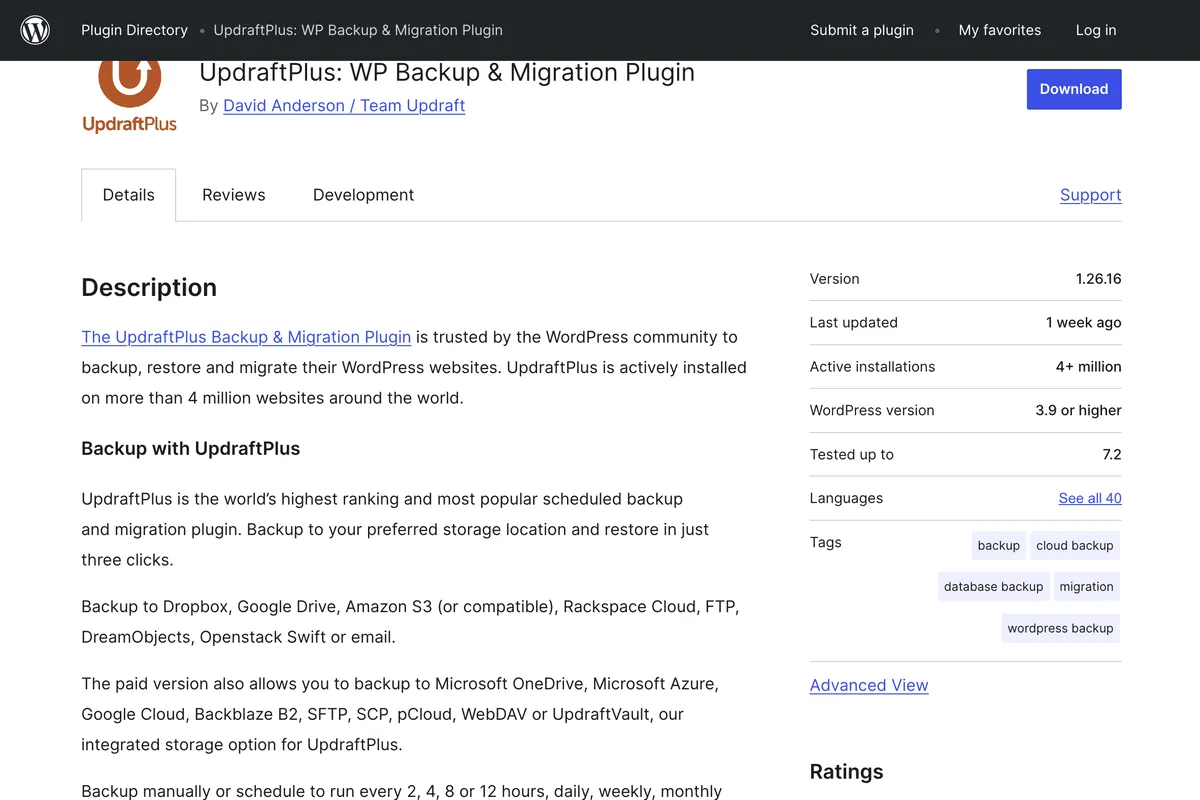
When you do need a plugin, open its page on WordPress.org and run four quick checks:
- Last updated: Gravity Forms suggests looking for an update in the last three to six months. A longer gap is a reason to look closer.
- Tested up to: compare it with the current WordPress version. Be wary of anything last tested on a version from a year or more ago.
- Active installations: a big number means the plugin has been tested on lots of sites, although it also makes it a bigger target for attackers.
- Reviews and support: read the recent one-star reviews, and see whether the developer answers questions in the support forum.
Delete plugins you've stopped using rather than just switching them off. Inactive plugins still sit on your server, and they can still contain vulnerable files.
Frequently Asked Questions
What are the essential plugins for WordPress?
A small business site needs six: an SEO plugin, a security plugin, a backup plugin, a form plugin with spam protection, an SMTP plugin for email delivery and a caching plugin. Skip the caching or backup plugin if your host already does that job.
What is the best free SEO plugin for WordPress?
Yoast SEO and Rank Math are the most widely used, with more than 10 million and 4 million active installs. The free version of either handles titles, descriptions, sitemaps and schema. If your developer or theme already works with one, use that one.
Are free WordPress plugins good enough for a business site?
For most small businesses they are. The free versions in this guide cover the essentials, and paying mostly gets you dedicated support and extra features. The bigger risk is a free plugin nobody updates any more, so check the update date either way.
What is the most popular WordPress plugin?
Elementor, Yoast SEO and Contact Form 7 each have more than 10 million active installations, which puts them at the top of WordPress.org's popular list. A popular plugin has been widely tested, but that doesn't mean your site needs it.
The Bottom Line
A small business site needs its six jobs covered by one well-maintained plugin each, and nothing that repeats what your host already does. Add bookings, payments or WhatsApp when your business needs them, and delete what you've stopped using.
If you'd rather someone set up and look after your plugins for you, book a free 1:1 discovery call with Tricia at AZENCE.